The device volume buttons are located on the top edge of the device.
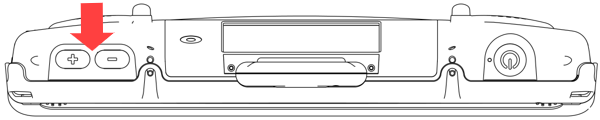
To increase the volume, press the + button.
To decrease the volume, press the – button.
Note: In addition to pressing these volume buttons, you can add volume controls in a vocabulary.