Press and hold the power button located on the top edge of the device.
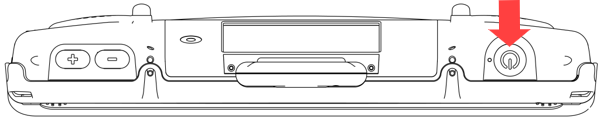
When you hear a beep, release the button. The green power LED will illuminate.
Wait for the software to load.
Tip: If you’re loading Empower software, follow the first steps in the Empower Manual to Open Empower and Select a Vocabulary.
Notes:
The LED will remain illuminated while the device is on.
The LED will remain illuminated when the device is in sleep mode.
The LED will turn off when the device goes into hibernation.
The LED will turn off when you power off the device.