⚠️ Do not carry the device by the stand. When carrying the device, use the handle or carry strap.
Positioning the Stand
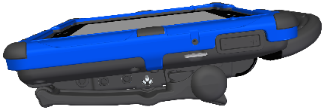
The stand provides multiple viewing positions. When latched against the back of the device, the stand provides a slight angle for viewing the screen when the device is sitting on a flat surface.
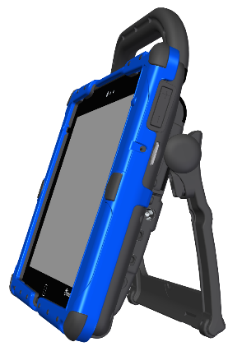
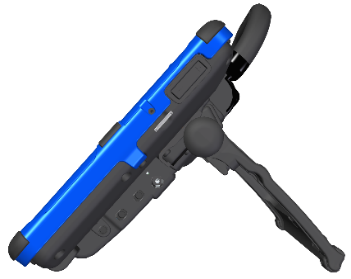
When the user needs an additional angle, extend the legs of the stand away from the back of the device by doing the following:
Place the device face-down on a flat surface.
Rotate the stand away from the back of the device.
Allow the stand to latch in the desired position.
Stand closed
Stand partially open
Stand fully open
Removing the Stand
If you do not want to use the stand, you can remove it from the back of the device. You can reattach it at any time.
⚠️ Loose holders, screws, and washers could be a choking hazard.
To remove the stand:
Place the device face-down on a flat surface.
Using a Phillips screwdriver, remove the two screws from each side that hold the stand to the back of the device.
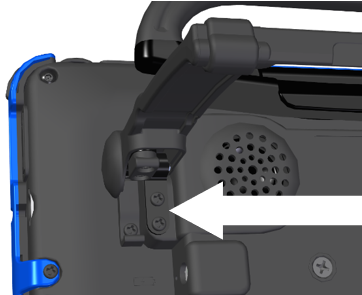
Pull the stand free and put it in a safe place in case you need to use it later.
To replace a stand stop (in case it is broken, for example):
Remove the two screws from the stand arm.
Push the end of the stand arm out of the way. (Or remove the stand completely if you prefer.)
Remove the screw holding the stand stop to the back of the device.
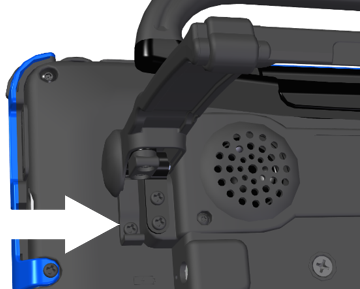
Remove the old stop, replace it with the new stop, insert the screw, and reattach the stand.