You may need to remove the handle to attach a NuPoint module for users that access the device using head tracking. When the handle is removed, it is important to either attach the head tracking module or attach the port cover that came with the device.
To remove the handle:
Using a Phillips screwdriver, remove screws that hold the handle in place.
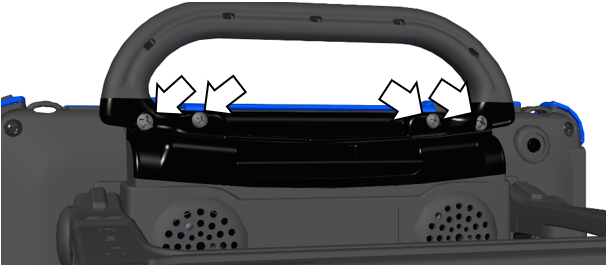
Pull the handle away from the device.
Attach the port cover in place of the handle or attach a NuPoint module.
To reattach the handle:
Remove the screws that hold the port cover or NuPoint module in place.
Line up the holes in the handle with the holes on the back of the device.
Insert the screws.